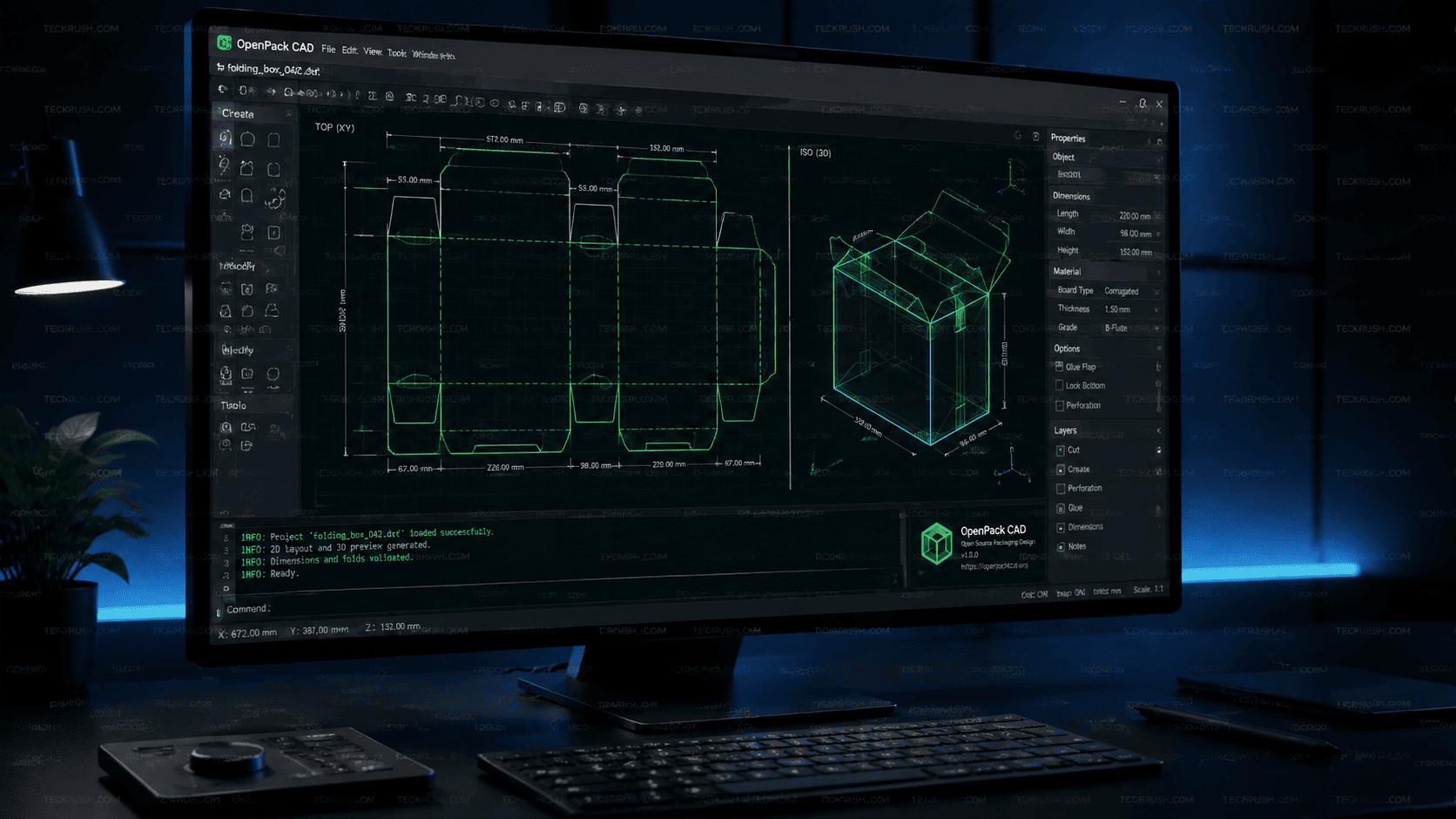
Enterprise packaging management software suites often demand cost-prohibitive subscription models that choke the margins of bootstrapping e-commerce startups and boutique design firms. For independent operators, finding a balance between mechanical precision and software affordability is a major hurdle in production pipeline scaling.
The optimal open-source packaging design software ecosystem utilizes vector parametric frameworks like LibreCAD for raw 2D dieline engineering, and Blender with Three.js-based rendering pipelines for interactive 3D structural proofing. By moving away from closed enterprise platforms, agile retail brands can execute precise structural prototyping, run custom box stress tests, and verify substrate folding paths without incurring severe software overhead.
Parametric Vector Drafting: Navigating Open-Source Dieline Generation
A structural dieline is the fundamental blueprint of any manufacturing pipeline. It defines cut lines, crease lines, and bleed margins with zero tolerance for geometric distortion.
LibreCAD
LibreCAD operates as a pure 2D computer-aided design (CAD) platform. Built upon the Qt4 framework, it excels at generating raw DXF and SVG vectors required by high-speed CNC sample cutters. Because it features clean command-line inputs and a lightweight footprint, designers can map out geometric lines with microscopic precision.
Inkscape with Parametric Box Extensions
While traditionally viewed as an illustrative tool, Inkscape transforms into a robust packaging engine when paired with open-source parametric fold extensions. Using Python-driven scripts, operators can input precise length, width, depth, and material thickness parameters to auto-generate flawless tuck-end folding designs instantly.
Technical Comparison: Open-Source Structural Design Architecture
The diagnostic matrix below breaks down the technical capabilities, file export profiles, and structural limitations of leading open-source packaging design alternatives.
| Software Platform | Native Core Rendering Engine | Optimal Packaging Output | Supported Production Export Formats | Primary Structural Limitation |
|---|---|---|---|---|
| LibreCAD | 2D Parametric CAD Engine | Corrugated Box Dielines | DXF, SVG, CXF | Lacks native 3D spatial folding previews |
| Inkscape (with Box Extensions) | Cairo Vector Engine | Retail Folding Cartons | SVG, PDF, EPS | Struggles with complex Multi-Component internal inserts |
| Blender | Cycles / Eevee 3D Pipeline | Luxury Rigid Box Proofing | OBJ, FBX, glTF, USDZ | Steeper learning curve for pure mechanical drafting |
| OpenSCAD | CGAL Parametric Scripting | Custom Structural Components | STL, OFF, DXF | Requires code-based modeling instead of visual drafting |
Advanced 3D Spatial Prototyping and Unboxing UX Validation
Drafting a flat 2D blueprint is only half the battle. To prevent structural overlaps and verify consumer unboxing ergonomics, you must validate your layout inside an active three-dimensional space.
- Deploy Blender Mesh Modeling: Use Blender’s precise mesh deformation modifiers to simulate structural paperboard physics.
- Animate Folding Hinges: Map vertex groups along your dieline’s crease points to animate the mechanical box folding process step-by-step.
- Run Real-Time Previews: Leverage the real-time Eevee engine to audit how your custom graphic layers react to simulated retail store and warehouse lighting variables.
Manufacturing System Integrations: Aligning Vectors with Factory Machinery
Your digital design files must translate perfectly to industrial manufacturing hardware. Ensure your line configurations use standardized color-coding layers before sending files to a custom packaging plant.
- Standardize Cut Lines: Map all direct blade cut paths to a solid 100% Cyan vector layer.
- Isolate Crease Profiles: Assign all mechanical score and folding paths to a solid 100% Magenta vector layer.
- Define Bleed Zones: Extend your background art assets exactly 0.125 inches past the cut layer using a specialized registration black boundary line.
This structural separation prevents automated factory tooling from accidentally slicing through critical layout designs or score lines during high-velocity production runs.
Linking Structural Software Blueprints to Live Packaging Assets
Transitioning from a digital vector layout to a physical, manufactured container requires choosing the correct production category template. If your team is moving designs away from software environments and preparing for physical distribution runs, you can reference our foundational overview of custom packaging boxes structural rules.
Furthermore, different retail products demand specialized internal properties. For example, brands adapting open-source layouts for retail beauty goods can review our operational blueprint on creating specialized industry specific packaging boxes layouts. If your distribution plan involves high-volume wholesale ordering patterns, synchronize your file calibrations with our technical guide on scaling custom kraft paper boxes wholesale supply lines.
To ensure your layout configurations match standard industrial distribution specifications, verify your software’s exporting parameters against the Electronic Frontier Foundation (EFF) Open Standards and Interoperability guidelines to ensure long-term data portability across all legacy B2B machinery.
Frequently Asked Questions: Open-Source Packaging Software
Can open-source CAD tools export files compatible with industrial die-cutters?
- Native DXF Compatibility: Yes, tools like LibreCAD export native 2D DXF files that are fully readable by commercial CAM cutting programs and automated flatbed sample tables.
- Layer Optimization Rules: You must ensure your vector paths are clean, un-fragmented, and organized into dedicated technical layers to prevent production machinery read errors.
How do I simulate material thickness (like E-flute) in open-source vector software?
- Apply Parametric Offsets: When utilizing Inkscape or LibreCAD, manually add an inner-tolerance offset equal to your board’s physical thickness (e.g., 0.0625 inches for E-flute) at every major interior fold line.
- Prevent Flute Crushing: This mathematical adjustment keeps your material from bunching up or buckling when the box moves down the physical packaging line.
Is code-based software like OpenSCAD practical for standard box manufacturing?
- Ideal for Precision Trays: OpenSCAD is highly efficient for auto-generating custom-molded internal thermoformed tray specifications or rigid plastic closures.
- Challenging for Complex Graphics: Because it lacks a traditional graphical interface, it is not recommended for layouts that require heavy graphic placement or multi-colored brand artwork.
Why do vector illustrations look low-resolution when imported into 3D rendering engines?
- Vector to Raster Conversion: 3D applications like Blender require vector files to be converted into high-density raster texture files (such as 4K PNGs) before mapping them onto digital boxes.
- Audit Resolution Settings: Always output your 2D artwork layouts at a minimum density of 300 DPI to prevent text blurring on your digital mockup displays.
